
Remote, Not Distant: Best Zoom Games for Large Teams
A well-run round of Zoom games can flip the energy of a remote team in minutes. These moments create real connection across time zones and give everyone a reason to lean in instead of tune out. The challenge is choosing games that scale—ones that don't break under too many faces or rely on one or two people to carry the fun.
Whether your team includes 20 people or 200, there are formats that work for large groups without feeling forced or awkward. The right game leaves people laughing, talking, and actually looking forward to the next call.
Need help designing virtual experiences that engage distributed teams? The Offsite Co. specializes in remote team-building for companies navigating hybrid and fully remote work. Schedule a free consultation and we'll build something memorable for your team.
What Makes Zoom Games Actually Work at Scale
The larger the group, the easier it is to lose momentum. But structure prevents chaos. With clear facilitation, intentional use of breakout rooms, and games designed for large formats, even a 75-person Zoom call can feel sharp and engaging.
How to Run Zoom Games for Big Groups
A few smart moves before the call will keep things running smoothly once the game starts:
Use breakout rooms intentionally for anything over 20 people
Assign a co-host or facilitator to manage tech and timing
Keep instructions tight and visuals clear
Use polls, reactions, or chat for crowd-based responses
Choose games that work across time zones and comfort levels
The format sets the tone. When roles are defined, instructions are simple, and the tools match the group size, everything flows better. A little structure up front makes room for more spontaneity once the game gets going. Keep the tech light, the timing tight, and the group energy steady.
10 Ways to Make Zoom Fun Again
Large-group Zoom calls can lose energy fast. But the right games keep everyone engaged, talking, and actually enjoying the screen time. These options are easy to run, require minimal setup, and work even when your grid fills a second monitor.
1. Virtual Scavenger Hunt
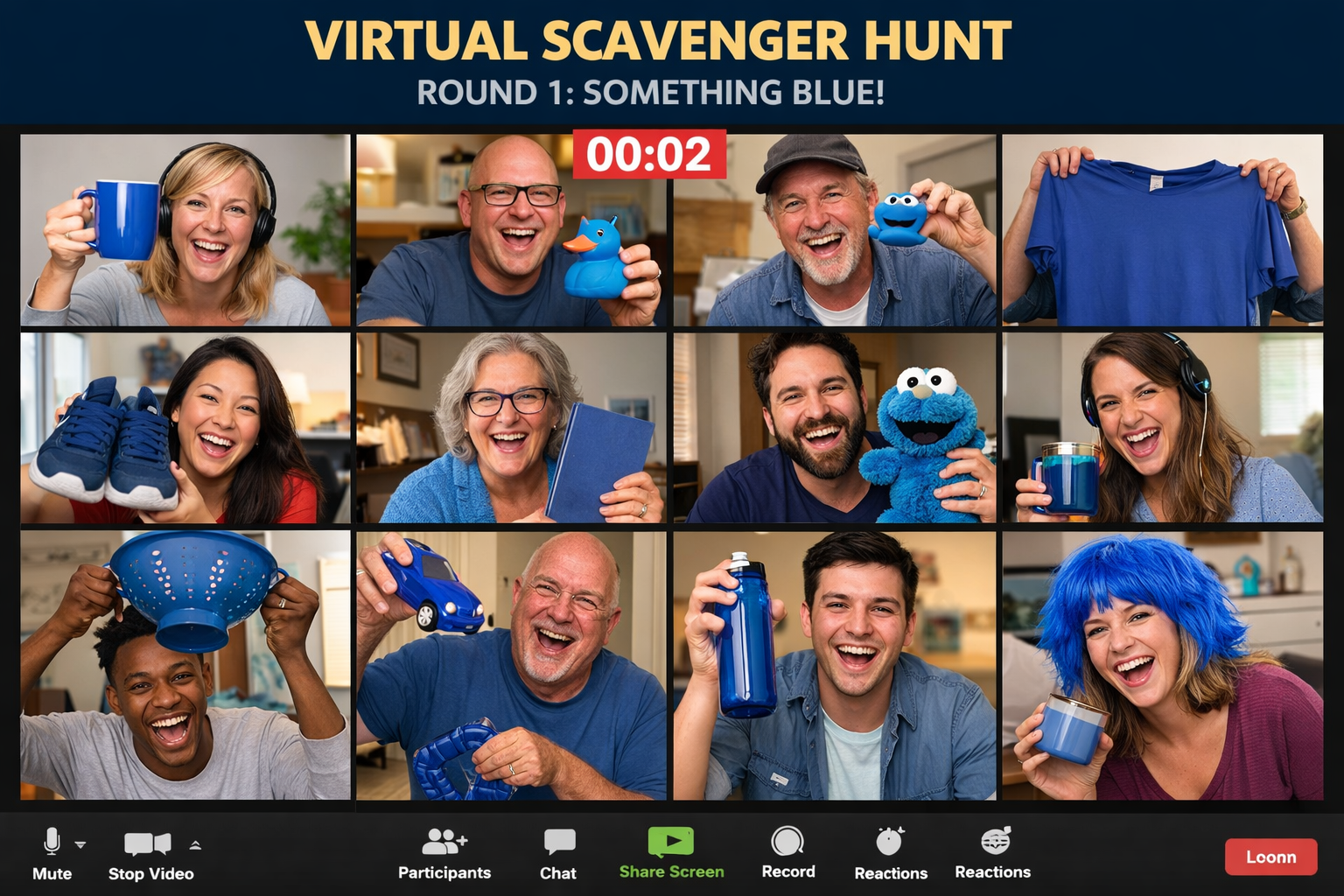
Participants get 30–60 seconds to find items at home based on prompts ("Something blue," "Something older than you," "Your most embarrassing purchase"). The chaos is the point—people scramble off-camera, return breathless holding random objects, and the stories behind what they find become the real entertainment. It breaks up screen fatigue fast and gets everyone moving.
How it works: Call out prompts one at a time, set a timer, and watch the grid fill with people holding up random items.
Why it works: Movement breaks screen fatigue, stories emerge naturally, and it works across all personality types.
Ideal group size: 10–100
Tools needed: Zoom and a facilitator with good energy
2. Two Truths and a Lie: Chat Edition
Everyone drops three statements in the chat simultaneously—two true, one false. The group uses reactions or polling to guess which is the lie, then the person reveals the answer and shares context. It's low-pressure, requires zero prep, and surfaces surprising facts about coworkers people thought they knew.
How it works: Participants type three statements in chat, group votes on the lie, and the person reveals and explains
Why it works: Asynchronous participation (introverts can think first), surprising revelations, scalable format
Ideal group size: 20–100
Tools needed: Zoom chat and poll feature
3. Zoom Trivia (Live or App-Based)
Host themed trivia covering pop culture, company history, or department-specific topics. Use breakout rooms for team-based competition or run it as a full group with live chat responses. The competitive element keeps energy high, and custom questions about company milestones or inside jokes make it feel personal rather than generic.
How it works: Present questions via slides or app, teams/individuals submit answers, track points, declare winners.
Why it works: Competitive energy, flexible topics, works for massive groups when properly facilitated.
Ideal group size: 10–200
Tools needed: Kahoot, Slido, or presentation slides with Zoom chat/polls
4. Emoji Story Challenge
Teams receive 5 random emojis and get five minutes to craft and present a story incorporating all of them. The constraint forces creativity—teams scramble to connect pizza + airplane + crying face + trophy + cactus into a coherent narrative. Presentations get weird, funny, and surprisingly revealing about team dynamics.
How it works: Assign breakout rooms, drop emoji sets, teams write and present their stories, and the group votes on the best.
Why it works: Creative constraint sparks collaboration; the low-stakes, fast-paced format prevents overthinking.
Ideal group size: 5–10 per breakout room
Tools needed: Breakout rooms, optional Google Docs for collaboration
5. Who Said That?
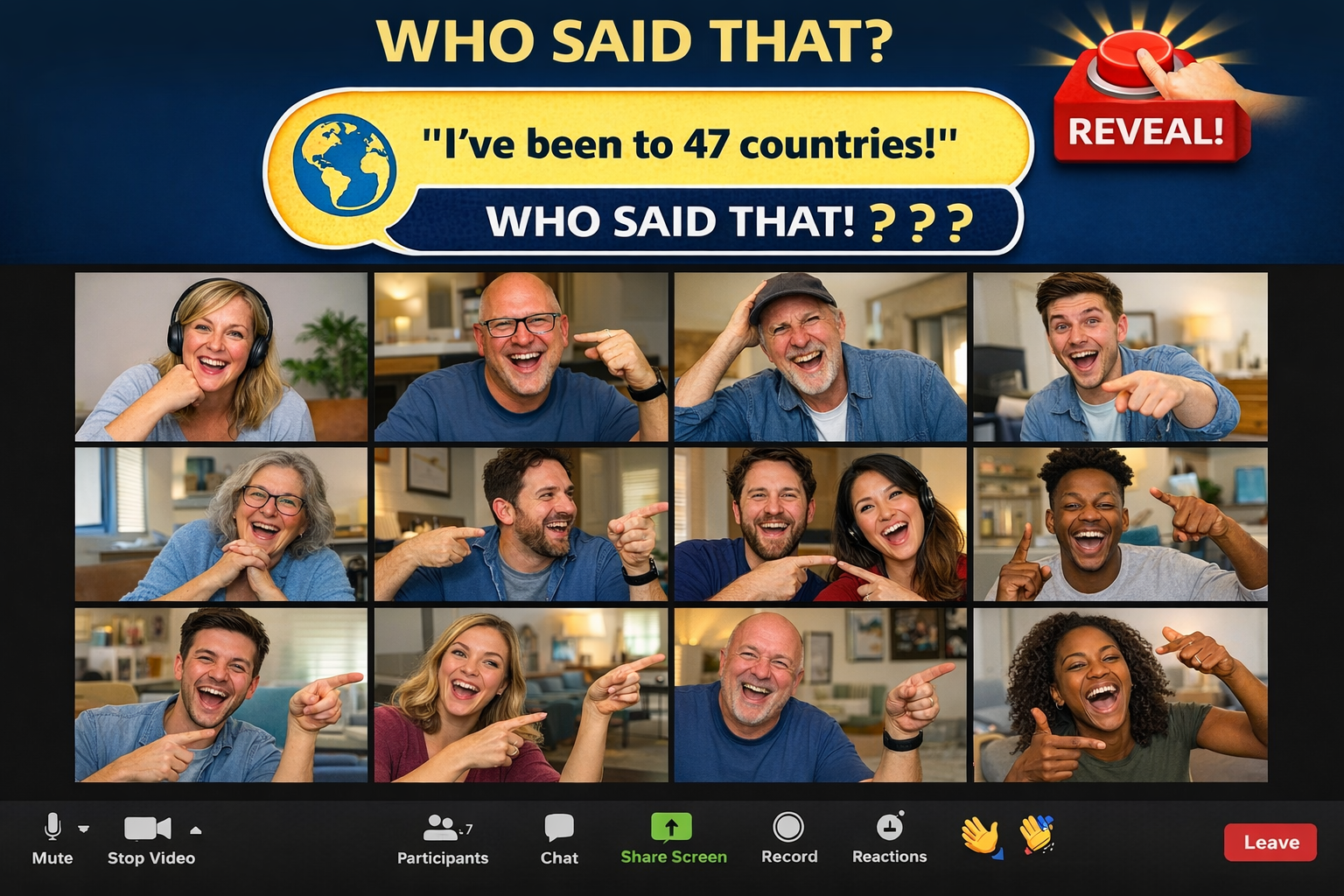
Collect interesting personal facts from participants ahead of time ("I've been to 47 countries," "I was a competitive juggler"), then quiz the group live on who said what. It encourages curiosity about coworkers beyond their job titles and creates moments where the quiet person in finance turns out to have the wildest backstory.
How it works: Pre-collect facts via form, present them live one at a time, the group guesses who said it, and the person reveals and elaborates.
Why it works: Humanizes coworkers across departments, creates conversation starters for later, and works across seniority levels.
Ideal group size: 15–75
Tools needed: Zoom plus pre-event Google Form for fact collection
6. Lightning Debates
Drop participants into breakout rooms to debate deliberately low-stakes topics ("Best cereal of all time," "Is a hot dog a sandwich?"). The absurdity removes pressure, but the debate format still gets people talking, listening, and defending positions. It's practice for real collaboration disguised as silliness.
How it works: Assign random breakout rooms, present the debate topic, give 3–5 minutes, reconvene for highlights.
Why it works: Gets introverts talking in small groups, playful topics remove professional pressure, and it's a natural icebreaker.
Ideal group size: 5–8 per room
Tools needed: Breakout rooms and timer
7. Spot the Lie (Team Edition)
Teams collaborate to craft three "company headlines"—two true events from company history, one completely fabricated. Other teams guess which is fake. It requires institutional knowledge, creativity, and just enough research to make the lie believable. The best lies sound plausible; the best truths sound absurd.
How it works: Pre-assign teams, give 10 minutes to craft headlines, teams present all three, others vote, reveal answers.
Why it works: Taps into company lore, rewards creativity and knowledge, generates conversation about shared history.
Ideal group size: 3–6 teams of any size
Tools needed: Zoom chat or shared Google Doc for headline crafting
8. Virtual Charades
One person acts out a word or phrase silently while others type guesses in the chat. The chat scroll becomes chaotic as 50 people simultaneously shout wrong answers, then someone nails it and the energy spikes. It works surprisingly well remotely—better than it has any right to.
How it works: Assign an actor, give them a word/phrase privately, set a 60-second timer, and have others guess in chat.
Why it works: High-energy, visual engagement breaks Zoom monotony and chat chaos adds to the fun.
Ideal group size: Up to 100
Tools needed: Zoom chat and timer
9. "Where in the World?" Background Game
Players switch to fake Zoom backgrounds (famous landmarks, random locations, weird interiors) and others guess where they "are." Bonus points for backstories. It's low-effort to set up, easy to join mid-game, and adds visual variety to the grid of home offices everyone's seen a thousand times.
How it works: Players change backgrounds each round, others guess the location in chat, and the person reveals and shares a story about that place.
Why it works: Visual novelty, easy participation, works for any group size, and functions as a conversation starter about travel.
Ideal group size: Any
Tools needed: Zoom virtual background feature
10. Company Bingo
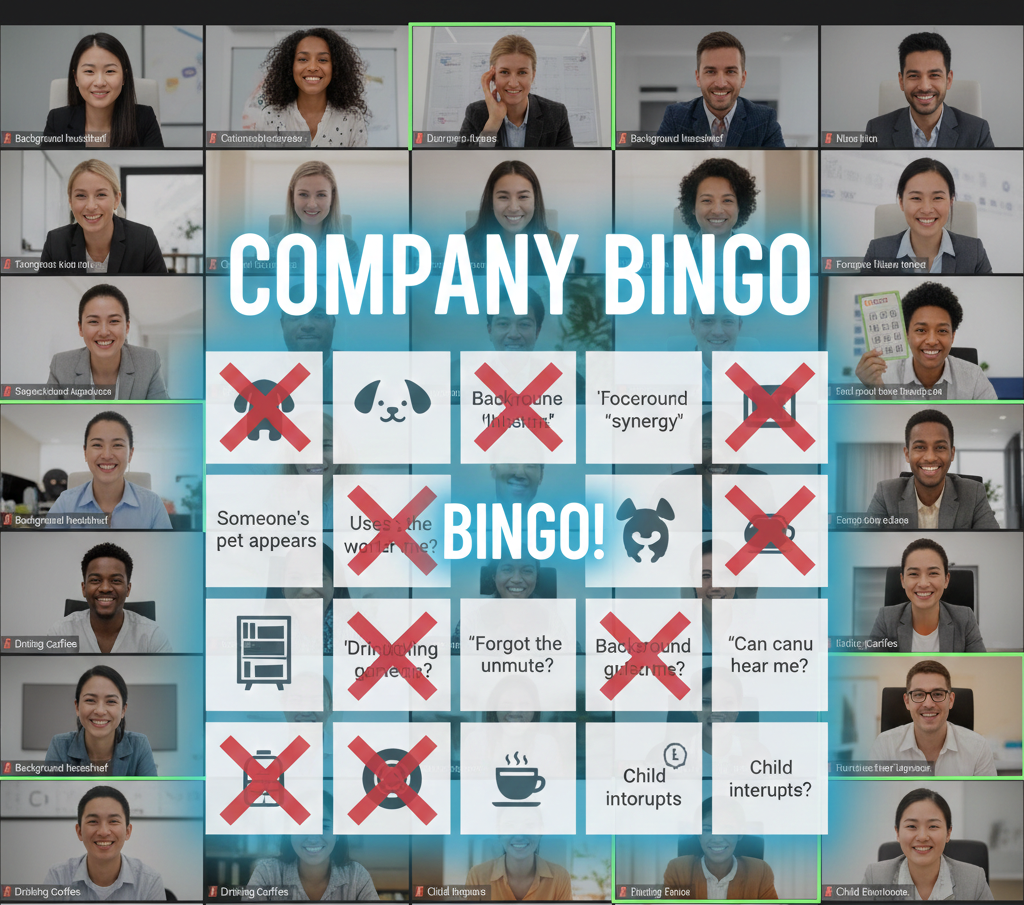
Create Bingo cards with company-specific squares ("Someone's pet appears," "Uses the word 'synergy,'" "'Can you hear me?'" "Background bookshelf"). Players mark squares as they happen during the call. The first to complete a line wins. It turns meeting clichés into a game and makes everyone hyper-aware of their own habits.
Why it works: Inside jokes become structure, runs passively alongside other activities, celebrates company quirks.
Ideal group size: 10–100+
Tools needed: Google Sheets or BingoBaker for card creation
How to Facilitate Large-Group Zoom Games
Running games for 50+ people requires different mechanics than facilitating a 10-person team. The chat moves faster, breakout rooms need clear instructions, and timing becomes critical. Here's what separates smooth facilitation from chaos:
Assign a co-host before the call starts. One person runs the game, the other manages tech—muting people, launching polls, creating breakout rooms, monitoring chat. Trying to do both solo with a large group guarantees something breaks.
Front-load instructions. Explain the entire game before starting. Don't drip-feed rules mid-game when 75 people are waiting. Use screen share to show visual examples of what success looks like.
Use the chat strategically. For games requiring responses, have everyone type their answer but not hit send until you say "go." This prevents early responders from influencing others and keeps reveals dramatic.
Time everything. Large groups need boundaries or they drift. Set visible timers for every activity phase. Warn people at the 30-second mark. End exactly when you say you will—trust erodes when facilitators let things run over repeatedly.
Breakout room best practices. Pre-assign rooms rather than using random, especially if you're mixing departments or seniority levels. Give each room a specific deliverable to bring back. Broadcast messages to all rooms at the 2-minute mark so they can wrap up.
The Offsite’s Approach to Zoom That Actually Works
We’ve run virtual events since the beginning—and we’ve learned what makes them land. Great energy, clear roles, and the right flow can turn even a 100-person Zoom call into something that feels present, polished, and actually fun to be part of.
How We Make Zoom Feel Like a Real Experience
We’ve designed hundreds of virtual gatherings, from focused ten-person sessions to full-scale summits with teams spread across the world. What sets these events apart isn’t just what happens on screen—it’s how the pieces fit together.
We build experiences with intention. Trivia that pulls from inside jokes. Breakout challenges that move teams toward actual goals. The energy stays high because the structure holds. We design the run-of-show, manage the tech, and make sure every moment has purpose.
What We Offer
Great virtual events come from tight planning and thoughtful design. We take care of both. Our team handles every layer, from tech to timing to how it all feels on the other side of the screen.
Fully managed virtual events and team-building days
Game design and facilitation tailored to group size and goals
Access to vetted tech platforms (Zoom, Hopin, Butter, etc.)
Pre-event surveys, invites, and post-event wrap-ups
Optional physical kits, swag, or meal delivery add-ons
We cover the logistics so you can focus on leading your team. Every detail gets handled—from invitations to energy shifts to what shows up at your team’s doorstep.
Explore Our Full Lineup of Events Here
What Happens When You Plan With Us
Zoom games for large groups work when they're designed for scale, facilitated with precision, and tailored to how distributed teams actually engage. The games above provide the foundation, but execution determines whether people show up energized or check out after five minutes.
The Offsite Co. specializes in virtual team building for remote and hybrid companies. We maintain a 97% year-over-year client retention rate because we treat virtual events as the complex operations they are—every detail managed, every moment purposeful, every experience designed to build actual connection. Schedule a free consultation and we'll build virtual experiences your team actually wants to attend.
Frequently Asked Questions
What makes Zoom games for large groups actually work?
Clear facilitation, scalable formats, and tech that supports participation at scale. Games need simplified rules that translate across video, co-hosts managing logistics, and formats that engage both extroverts and introverts. Breakout rooms, chat features, and polling tools help prevent chaos when 50+ people participate simultaneously.
Can introverts enjoy Zoom games for large groups?
Yes, when games offer multiple participation styles. Chat-based responses let people think before contributing. Breakout rooms create smaller, less intimidating spaces. Anonymous polling removes performance pressure. The Offsite Co. designs games with opt-in energy levels—introverts can engage meaningfully without forcing themselves into spotlight moments.
How many people can participate in Zoom games for large groups at once?
Depends on the game format and facilitation quality. Chat-based games and trivia scale to 200+ people when properly structured. Breakout-dependent games work best under 100 so facilitators can monitor rooms effectively. Games requiring individual performance (like charades) cap around 50 before wait times kill momentum. Strong facilitation extends these limits significantly.
What types of teams benefit most from Zoom games for large groups?
Fully remote teams building connections across time zones, hybrid teams mixing in-person and remote employees, cross-functional departments that rarely interact, and companies onboarding distributed new hires. These games help make virtual rooms feel smaller and create shared experiences that translate into better collaboration later.
How long should Zoom games for large groups last?
15–30 minutes for energy breaks during longer meetings. 45–60 minutes for dedicated team-building sessions. 90+ minutes for comprehensive virtual events with multiple games. Attention spans on Zoom are shorter than in person—better to end while energy is still high than push until people start dropping off or multitasking.
Can you incorporate physical elements into virtual Zoom games?
Yes. Shipping kits to participants' homes creates tangible touchpoints. Examples include ingredient boxes for cooking competitions, craft supplies for creative challenges, snack packs for tasting games, or branded swag that ties into game themes. The Offsite Co. coordinates these logistics so boxes arrive on time and games integrate physical elements smoothly.